The bundle keeps the build brief and style notes together.
Inspired by Sky
Sky Kennel
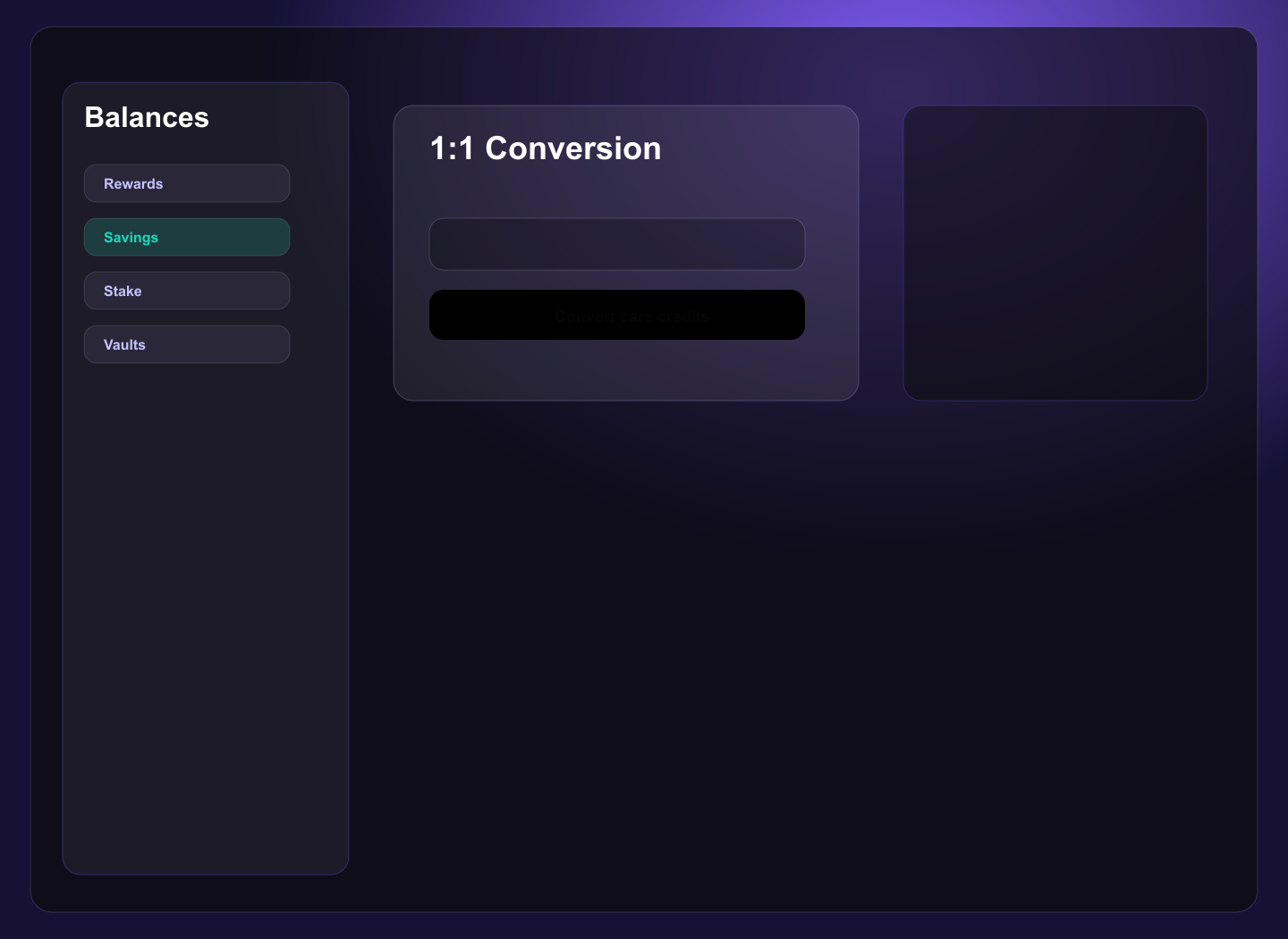
A dark stablecoin app kit translated into Sky Kennel, centered on a translucent purple workspace, intent tabs, conversion/action panels, and soft teal-violet gradients.
darkdashboardglassgradientweb3-dashboardportfolio
Implementation bundle
Copy one clean packet, or just the pieces you need.
Copy the full bundle when you want an agent to build in this style. Use the individual files when you only need tokens, CSS, Tailwind, or component prompts.
Use CSS variables, Tailwind values, and JSON tokens when you need exact values.
Component prompts describe reusable patterns. Keep weak areas marked limited or unavailable.
# Sky Kennel Implementation Bundle

Use this as the build brief for an AI coding agent. The base remix prompt tells the agent what to make; the style kit adds evidence, component behavior, and known limits.

## Base Remix Prompt

Build an interface using the Sky-inspired Sky Kennel style kit.

A dark stablecoin app kit translated into Sky Kennel, centered on a translucent purple workspace, intent tabs, conversion/action panels, and soft teal-violet gradients.

Primary silhouette:
Use a dark glass stable-care app: purple-black background, translucent panels, intent tabs for balances/rewards/savings/stake-like pet services, gradient buttons, and teal/violet focus states. Avoid generic plan consoles.

Composition:
Create a two-pane shell: left balance/intent navigation, main action widget, right details panel or mobile stacked drawer. Keep edges rounded and spacing medium-dense.

Above the fold:
Open with account balances and pet-care conversion actions, not marketing copy. Make the first screen feel like an authenticated app state with useful tabs and review details.

Core components:
- Action cards: Use cards as selectable intent actions: convert food credits, save care funds, stake loyalty, claim rewards. Use violet gradients on hover and muted glass fills.
- Conversion widget: Use a central conversion/ticket widget with amount rows, token/plan selectors, network controls, and review confirmation. Keep validation conservative.
- Soft metric placement: Use small balance trend strips and reward progress indicators inside the workspace; do not make charting the dominant silhouette.
- Intent status chips: Use muted violet chips for active intent and teal chips for fixed/ready states; avoid unsupported warning palettes.
- Chain and widget dialogs: Use compact glass modals for network, wallet, and review steps with blurred dark overlays and teal/violet active states.

Image direction: Use abstract pet-care orbit imagery: soft purple nebula gradients, translucent kennel panels, teal reward paths, no logos, no readable text, no photorealism.

Do not use source logos, trademarks, proprietary assets, readable source text, or copied screenshots. Stay evidence-backed; if evidence is limited, keep the treatment directional and conservative.


## Agent Kit

# Sky Pet Shop Agent Kit

A dark stablecoin app kit translated into Sky Kennel, centered on a translucent purple workspace, intent tabs, conversion/action panels, and soft teal-violet gradients.

## Evidence-Backed Silhouette

### Glass intent workspace

Evidence: Evidence shows dark container backgrounds, GraphikStd/CircleStd type, 20/12/16px radii, many button groups, Tab evidence, chain modal triggers, and conversion CTA content.

Prompt guidance: Use a dark glass stable-care app: purple-black background, translucent panels, intent tabs for balances/rewards/savings/stake-like pet services, gradient buttons, and teal/violet focus states. Avoid generic plan consoles.

### Two-pane app shell

Evidence: Evidence includes a split-text-media app-background main area with 12px padding, details panes, sticky controls, and 1 detected section.

Prompt guidance: Create a two-pane shell: left balance/intent navigation, main action widget, right details panel or mobile stacked drawer. Keep edges rounded and spacing medium-dense.

### Balances-first app entry

Evidence: Hero evidence is a Balances heading and conversion CTA, with full-page background imagery.

Prompt guidance: Open with account balances and pet-care conversion actions, not marketing copy. Make the first screen feel like an authenticated app state with useful tabs and review details.

### Action cards

Evidence: Button groups and card-like bg-card selectors support compact action cards.

Prompt guidance: Use cards as selectable intent actions: convert food credits, save care funds, stake loyalty, claim rewards. Use violet gradients on hover and muted glass fills.

### Conversion widget

Evidence: Evidence includes chain modal triggers, widget buttons, tabs, and fixed-rate conversion CTA text.

Prompt guidance: Use a central conversion/ticket widget with amount rows, token/plan selectors, network controls, and review confirmation. Keep validation conservative.

### Soft metric placement

Evidence: Chart/metric evidence exists but detailed visual charting is limited.

Prompt guidance: Use small balance trend strips and reward progress indicators inside the workspace; do not make charting the dominant silhouette.

### Chain and widget dialogs

Evidence: Evidence includes chain modal triggers and menu/dialog interactions.

Prompt guidance: Use compact glass modals for network, wallet, and review steps with blurred dark overlays and teal/violet active states.

### Intent status chips

Evidence: Status cues are directionally supported by DeFi flow evidence.

Prompt guidance: Use muted violet chips for active intent and teal chips for fixed/ready states; avoid unsupported warning palettes.

### Nebula glass gradients

Evidence: Image prompt palette includes purple-black, violet, teal, and translucent white.

Prompt guidance: Use abstract pet-care orbit imagery: soft purple nebula gradients, translucent kennel panels, teal reward paths, no logos, no readable text, no photorealism.

## Image Direction

Use abstract pet-care orbit imagery: soft purple nebula gradients, translucent kennel panels, teal reward paths, no logos, no readable text, no photorealism.

Do not use source logos, trademarks, proprietary assets, or raw source screenshots. Concrete visual decisions must remain tied to the cleaned kit evidence and copied artifacts.